What's the difference between a shared IP and a dedicated IP
Shared and dedicated tell you how many people are using the public IP you show to websites — not how fast the line is, and not whether it looks like home broadband or a datacenter. Several customers on one exit is shared; an address reserved for you is dedicated. A quick look at a regional page often works on shared. If a store, ad account, or wallet will live on that line, ask whether a stranger’s history sits on the same address. Occupancy and a clean line are different questions. Once the two words are clear, you can decide if dedicated is worth paying for.
Also available in 简体中文
What shared and dedicated actually mean
Sites, ad consoles, and payment APIs see your public IP — the address your traffic presents after it leaves your network. Shared versus dedicated is about how many people sit on that address. It is not the same question as “does this range look residential in WHOIS?”
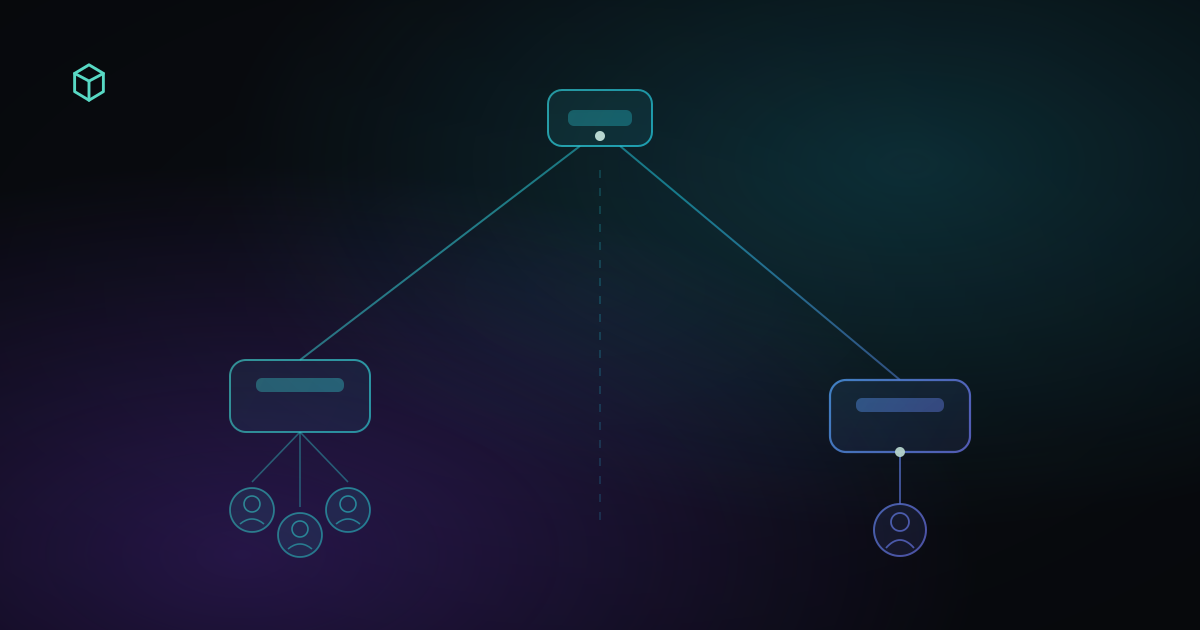
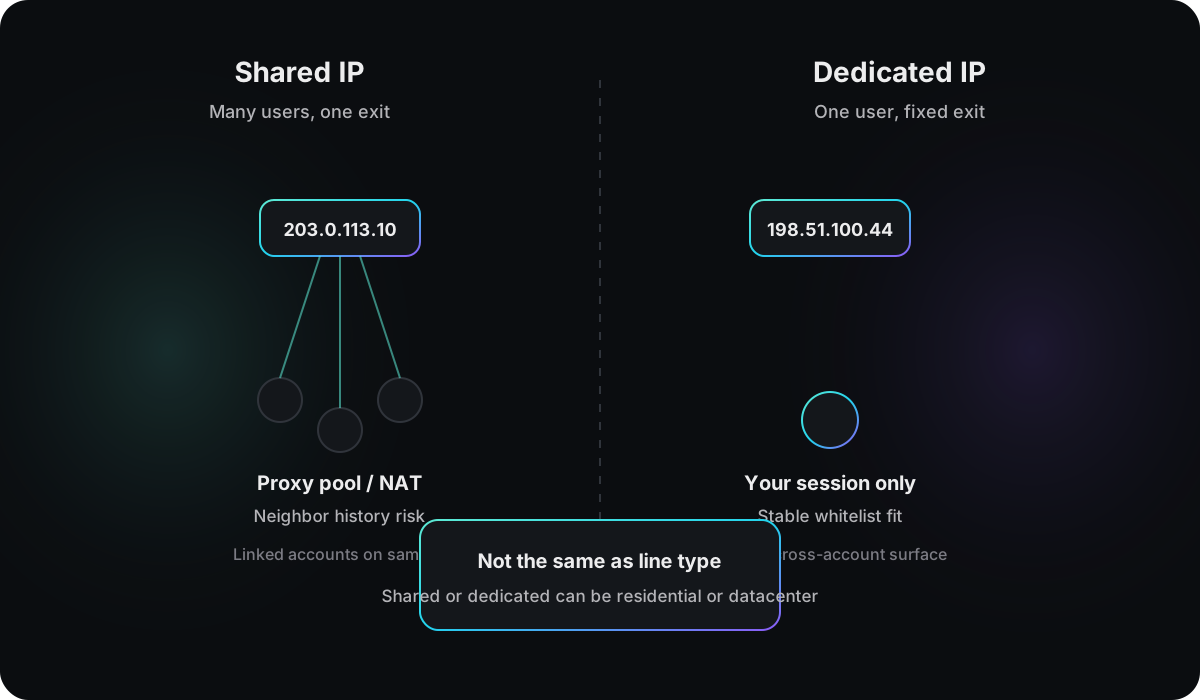
A shared IP is a public exit used by several customers at once, or in close rotation. Residential proxy pools, budget VPNs, and datacenter NAT almost always work this way. The address on a lookup page may be someone else’s exit in the same minute. The more crowded the pool, the less the history on that address belongs to you.
A dedicated IP is a public address (sometimes a small fixed block) assigned to you, or to your account group. Other customers should not run their traffic out of the same exit. It usually costs more. You see it on static residential plans, single-tenant VPS exits, and some business tiers sold as a private egress.
Both words describe occupancy. Shared can be residential or datacenter. Dedicated can be either too. Treating “dedicated” as “this will look like home broadband” is how most buying mistakes start.
This is not line type, and it is not “native”
Listings also say residential, datacenter, mobile, or native. Those labels answer a different question: what kind of network does this range look like in registry and intelligence data. Shared versus dedicated answers how many users are on the exit.
| Shared / dedicated | Residential / datacenter / mobile | |
|---|---|---|
| Question | How many users share the exit | Which network class owns the range |
| Typical source | How the plan is sold and assigned | WHOIS, routing, intelligence feeds |
| Can you combine them | Yes | Yes |
“Native IP” usually means the exit country matches the ISP’s registration, so the path does not look like it was hopped across borders. It can still be one address inside a shared pool. If a listing sells “native + dedicated,” treat those as two claims: one about registration, one about occupancy. Folded into a single badge, you cannot tell which part you actually received.
The two layers fail independently. A shared residential IP can pass line type and still sit in a dirty pool. A dedicated datacenter IP has no neighbors and still draws hosting-style review. For the line-type side, see Datacenter IP vs residential IP.
What changes in practice
Occupancy shows up as stability, whose history you inherit, and how easily a platform can cluster accounts on one exit.
| Shared IP | Dedicated IP | |
|---|---|---|
| Occupancy | Many users, often at once | Usually you or your account group |
| Price | Lower | Higher |
| Whether the address moves | Pool rotation and per-session hops are common | Often stays put for a long stretch |
| Where history comes from | Easy to inherit other customers’ behavior | A previous tenant can still leave records |
| How platforms link accounts | Many logins on one IP cluster easily | Smaller linking surface — not zero |
| Better fit | Browsing, research, one-off checks | Long-lived logins, allowlisted exits |
“Dedicated is more stable” is how most plans are sold, not a law of routing. Some dedicated assignments rotate. Some shared exits stay pinned for weeks. After you connect, watch whether the public IP behaves like the product you paid for.
When a shared IP is enough
Shared fits work where you need to appear in a region for this session, not grow an account on that exit.
A one-time geo check, a page that only loads locally, or a throwaway lookup does not need an exclusive address. A shared residential exit is often enough if this session’s line type, proxy flags, blacklist status, and abuse risk look acceptable. What happens to the IP after you disconnect is mostly someone else’s problem.
If the account is low stakes and the budget is tight, the dedicated premium is usually wasted. Research, public pages, and profiles that never touch ads or payouts can live with the occasional extra challenge or IP hop.
Fingerprint browsers, separate profiles, and one-account-per-environment setups absorb some of the linking risk that comes with a shared exit. They do not clean a blacklisted address. Isolation answers “do these browsers look like the same machine.” It does not rewrite the IP’s history.
Shared is a poor fit when several stores, ad accounts, or wallets share one exit. Platforms treat those logins as related. It is also a poor fit for a high-value account that must look stable: hopping pools every day reads as an exit that will not sit still, not as “I keep finding cleaner IPs.”
When dedicated is worth paying for
Dedicated buys a predictable exit and fewer neighbors. It does not upgrade the range from hosting to residential.
Seller accounts, ad accounts, and wallets that must stay in one region benefit from an address that does not change under them. Dedicated shrinks the chance that a stranger’s abuse on a shared pool lands on your login. It does not erase a previous tenant. Test the address before you bind anything valuable.
Some B2B APIs and admin panels only accept allowlisted IPs. You need the registered number to stay the same. A dedicated or static block matches that requirement; a pool that rotates once breaks the list.
When several legal entities on one platform must not look related, IP is one of the strings risk systems pull. Separate exits weaken the “many profiles, one address” pattern. They do not replace device, payment, or identity isolation. They only avoid handing the platform a ready-made cluster.
Skip dedicated for rare visits, tight budgets, and accounts that are cheap to replace. Exclusive occupancy also will not fix a datacenter range or an address that already hits blacklists. Those are line-type and reputation problems.
How shared plans go wrong
Reputation attaches to the address, not to your invoice. If someone in the pool used the same exit for bulk signups, spam, or attacks, blacklist hits and abuse scores stay on the IP. You inherit that history. A new subscription does not mint a clean record.
Cheap tiers often sell dedicated and deliver shared. Connect to the line you were offered, open an IP address check, and write down the public IP plus the four signals. Repeat a few hours later or the next day. If the address hops like a pool, treat it as shared and stop arguing with the listing copy.
“Shared residential” is not the same as “looks like a household.” Residential line type helps. Shared pools still pick up proxy flags. Read all four signals. Stopping at the word residential is how dirty exits get a pass.
Jumping pools to outrun review usually fails. A new IP does not wash the old one, and the next address may come from the same dirty block. Frequent rotation is itself a signal that needs an explanation.
How dedicated plans go wrong
A dedicated VPS exit can be yours alone and still sit in hosting space. Ad and social logins that scrutinize datacenter ranges do not relax because nobody else is on the box. Occupancy and “does this look like a normal user network” are different bills.
A fixed IP does not rescue a mismatched timezone, language, WebRTC path, or browser fingerprint. Before a high-value login, run the account environment check and see whether those signals point at the same region and the same kind of use.
Recycled “clean dedicated” inventory can carry the last customer’s blacklist. Check the address after provisioning, then bind the store or ad account. Binding first uses the account to discover history you could have read on a lookup page.
Copy that says dedicated channel, private line, or exclusive tunnel sometimes means the path is isolated — while public egress is still NAT. Repeated checks that show one stable public IP, used as if it were yours, beat the headline on the sales page.
What to verify before you buy or switch
Shared versus dedicated does not change the method. Connect first, read four signals on the same address, then use time to see whether the IP behaves like the plan. How to read those signals is in How to check if your IP is clean.
- Connect through the proxy or VPN you intend to use, then open the checker. Reverse the order and you measure your local network.
- Open the IP address check. Record the public IP, line type, proxy flags, blacklist status, and abuse risk.
- Repeat after a few hours or the next day. Dedicated or static should still be the same address (or the same small block). A shared pool often will not.
- Before binding a high-value account, run a WebRTC leak test in the same session so a second address does not sit beside the proxy exit.
The checker will not label a plan “shared” or “dedicated” the way a storefront does. You compare stability, pool-like rotation, and whether the four signals can support the login you are about to attempt.
What platforms actually react to
Platforms rarely block on the phrase “shared IP.” They react to clusters: several risky accounts on one exit, a pool that wrote abuse or blacklist data onto the address, or a datacenter egress used as if it were an exclusive home line — signals that disagree with each other.
Dedicated occupancy reduces blast radius on that one layer. It does not replace a plausible line type, a clean reputation, or a browser environment that matches the exit. When you buy a line, ask about occupancy, then about the range, then about history. Three separate answers beat hunting for the most expensive word on the listing.