How to Use a 2FA Secret Key: Generate a Code and Sign In
If you already have a 2FA secret, do not paste that string into the website's verification-code field. Put the secret into a TOTP authenticator, generate the current short code, then enter that code when the site asks for two-factor authentication.
Also available in 简体中文
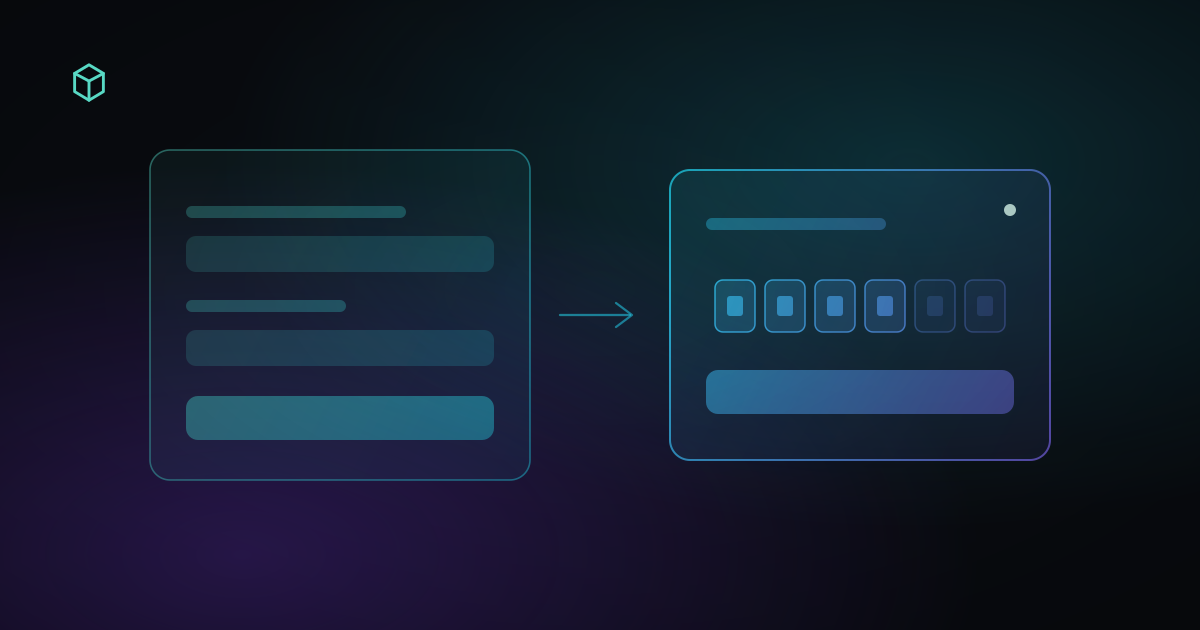
Suppose you have a set of sign-in details like this:
Account: user@example.com
Password: ********
2FA: JBSWY3DPEHPK3PXP
The first two belong on the login form. The third is usually a TOTP secret: generate the current code from it, then enter that short number when the site asks for two-factor authentication.
If you already have a Base32 secret, open the 2FA Code Generator to get the current code.
How to use a 2FA secret key
A typical TOTP login looks like this:
Account / email
      +
   Password
      ↓
First step of sign-in
      ↓
Site asks for a 2FA code
      ↓
Put the 2FA secret into an authenticator
      ↓
Generate the current TOTP code
      ↓
Enter that code on the site
      ↓
Sign-in continues
The easy mistake is treating the secret and the login code as the same thing. They are not.
Suppose the 2FA secret is:
JBSWY3DPEHPK3PXP
An authenticator might currently generate:
384921
A short time later it will show a different number. The long string is what generates codes. The short number is what most login pages ask for.
Identify what you actually have
The hard part is often not generating a code. It is telling the credentials apart.
| What you have | What it usually is | What to do with it |
|---|---|---|
A string like JBSWY3DPEHPK3PXP | Base32 / TOTP secret | Put it in a TOTP authenticator |
otpauth://totp/... | Authenticator provisioning URI | Import it into a tool that supports that format |
| A QR code | 2FA setup information | Scan it with an authenticator |
A short number like 384921 | Current TOTP code | Enter it in the site’s 2FA field |
| Recovery code / backup code | Account recovery credential | Use it in the provider’s recovery flow |
| A code from email or SMS | Email / SMS OTP | Enter it directly; a TOTP secret will not produce it |
If you have a longer string of letters and numbers labeled 2FA, Secret, Secret Key, Setup Key, TOTP Secret or Authenticator Key, it is probably the credential used to generate codes.
If you still need to tell those apart, read 2FA Secret Keys: What They Are and Where to Find Them first.
Generate a code from the secret
Once you know you have a TOTP secret, you need a TOTP authenticator. That can be a phone app, or a tool that implements the same standard.
In EnvTrace the sequence is:
- Open the 2FA Code Generator.
- Paste the Base32 secret into the input.
- Copy the current 6-digit code.
- Return to the site you are signing in to.
- Enter the code in the 2FA or authentication-code field.
The generator also accepts otpauth:// URIs. If you have the full provisioning string rather than a bare Base32 secret, you do not have to extract the secret by hand.
You can paste more than one secret. Put one secret per line. A line such as GitHub: JBSWY3DPEHPK3PXP keeps the rows labeled.
TOTP codes follow a time window. RFC 6238 uses 30 seconds as the default time step, so many authenticators rotate on that schedule. If the countdown is almost finished and you still need to switch tabs and submit, wait for the next code.
Where the 2FA code goes during sign-in
2FA usually happens after the password.
On a site that uses an account, a password and TOTP, the first screen may look like this:
Email
Password
After that, the site may show:
Authentication Code
or:
Two-Factor Authentication
Enter your 6-digit code
That field is not asking for the original secret. Open the authenticator for that account, copy the current short code, and enter that.
GitHub follows the same split: you can scan a QR code or view a setup key, then GitHub asks for the code the authenticator generates. Other services that use an authenticator app as 2FA follow the same pattern.
Button labels vary. The roles do not: the secret configures the authenticator; the short code completes sign-in.
If you received a full set of account details
Sometimes you are signing into an account you own or are authorized to manage, and the details arrive as a bundle:
Username: example
Password: ********
Email: example@email.com
2FA: JBSWY3DPEHPK3PXP
Recovery Code: XXXXXXXX
Treat each field as a different credential.
Username / email
The identifier for the first step of sign-in.
Password
The account password.
2FA / secret
If this is a TOTP secret, generate the current code from it before filling the 2FA field.
Recovery code
A backup credential. Use it only when the normal second factor is unavailable and the provider accepts recovery codes. It is not a TOTP secret.
The usual order is still: account → password → 2FA challenge → current TOTP code.
A 2FA secret is not a reason to attempt sign-in to an account you are not authorized to access.
How QR codes and otpauth:// fit
When you enable TOTP 2FA, the site often shows a QR code instead of a bare secret. The QR code is just a convenient container. It usually represents something like:
otpauth://totp/Example:user@example.com?secret=JBSWY3DPEHPK3PXP&issuer=Example
The secret used to generate codes is:
JBSWY3DPEHPK3PXP
The URI can also carry the TOTP type, account name, issuer, digit count, algorithm and time period.
A QR code, an otpauth:// URI and a Base32 secret are often three representations of the same enrollment: the QR code is easy to scan, the URI is easy to import, and the Base32 secret is easy to type.
If you want the reason the code changes every 30 seconds, read TOTP Explained: How Time-Based 2FA Codes Work.
If the secret generates a code the site still rejects
If the secret produces a code but the site keeps rejecting it, the problem is usually no longer how to use the key. Check these first.
The account does not match
If you manage several accounts, it is easy to use the wrong secret. The secret has to belong to the account you are signing in to.
The secret is no longer current
After 2FA is reset or enrolled again, an old secret can still generate normal-looking numbers. The server is calculating from a different secret, so the codes will not match.
The clocks do not agree
TOTP uses the current time. If the device clock is far enough off, the generated code may belong to a different time window.
The code expired while you were submitting it
A code copied with only a few seconds left may rotate before the site verifies it.
The site is not asking for TOTP
2FA is broader than TOTP. SMS codes, email codes, push approvals, passkeys and hardware security keys can all be a second factor. Seeing the word “2FA” does not mean a Base32 secret will produce the credential the site wants.
If the secret is current and the site still rejects the code, continue with 2FA Code Not Working: Common Causes and Fixes.
Recovery codes, SMS codes and 2FA secrets are different
These can all look like extra strings you type at sign-in. They are not interchangeable.
2FA secret
Used to keep generating TOTP codes. Normally stored with the enrollment.
TOTP code
Calculated from the secret and the current time. Short-lived.
Backup code / recovery code
A spare credential issued by the service. Google backup codes, for example, are one-time use, and generating a new set invalidates the old one.
SMS / email code
Sent by the service through a delivery channel. A TOTP generator cannot produce the code a site just emailed or texted you, because that is a different mechanism.
When a login page asks for a “verification code”, read the rest of the prompt. Check whether it wants an authenticator code, an SMS code, an email code, a recovery code, or another method.
When to stop generating more codes
If codes keep getting rejected, do not keep submitting new numbers. Confirm:
- The secret belongs to this account.
- 2FA has not been enrolled again since you saved the secret.
- The device clock is set automatically.
- The current challenge is actually TOTP.
- You still have recovery codes or another enrolled method.
An old secret will not become the current one by generating more codes. Go back to the service and use its 2FA reset, recovery codes, or account-recovery process.
If you already have the current Base32 secret, generate the current TOTP code in the 2FA Code Generator, then enter that short code where the site asks for authenticator or 2FA verification.